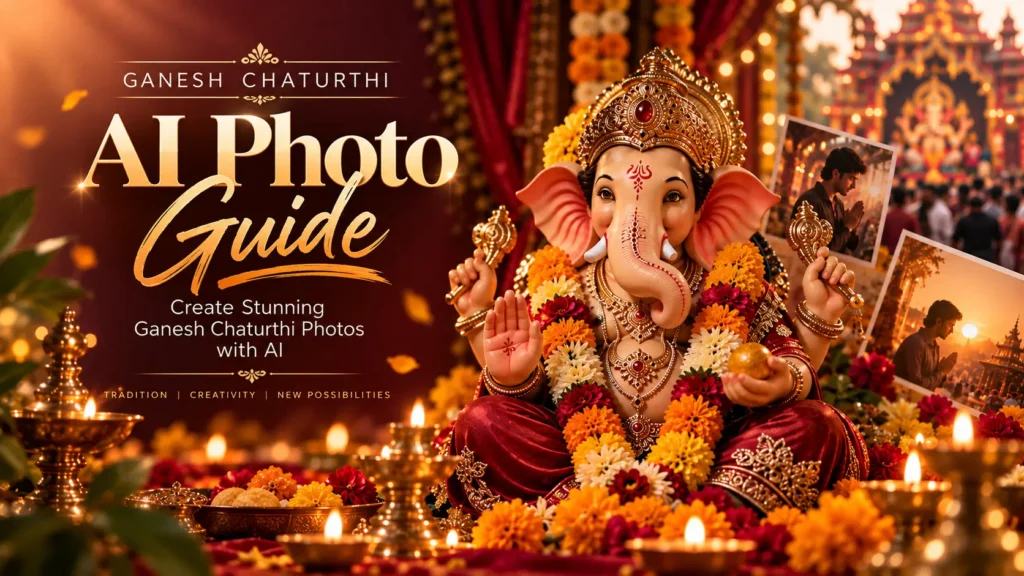
Every Ganesh Chaturthi, timelines fill up with the same three photo formats — a selfie with the pandal, a blurry aarti video, and a stock Ganpati wallpaper. This year, thousands of creators are skipping all three and generating AI portraits instead, and the results are stopping scrolls.
If you’ve been searching for a ganesh chaturthi ai photo prompt that actually looks premium instead of AI-generated and awkward, you’re in the right place. Below are ready-to-use prompts, plus the exact steps to turn them into photos using free tools — no design skills required.
What Makes a Great Ganesh Chaturthi AI Photo Prompt
Not every prompt produces a usable image. The prompts that go viral share a few traits:
- Specific lighting cues — “golden hour glow,” “diya lit warm light,” or “soft temple lighting” instead of just “nice lighting.”
- A clear festive element — modaks, marigold garlands, brass diyas, or a Ganpati idol placed naturally in the frame.
- A defined style — cinematic, studio portrait, traditional Peshwai, or dreamy pastel, rather than leaving the tool to guess.
- Realistic framing instructions — close-up portrait, half-body, or festive backdrop, so the AI doesn’t distort your face.
Vague prompts like “make me look festive” almost always produce generic, plastic-looking results. Specificity is what separates a viral post from a forgettable one — our viral AI photo editing prompts guide breaks this down in more detail.
10 Ganesh Chaturthi AI Photo Prompt Ideas to Try This Year
Each prompt below is written in full detail so it works well straight out of the box — tap “Copy Prompt,” paste it into your AI tool, and swap in your own outfit or setting details if you like.
1. Traditional Darbar Look
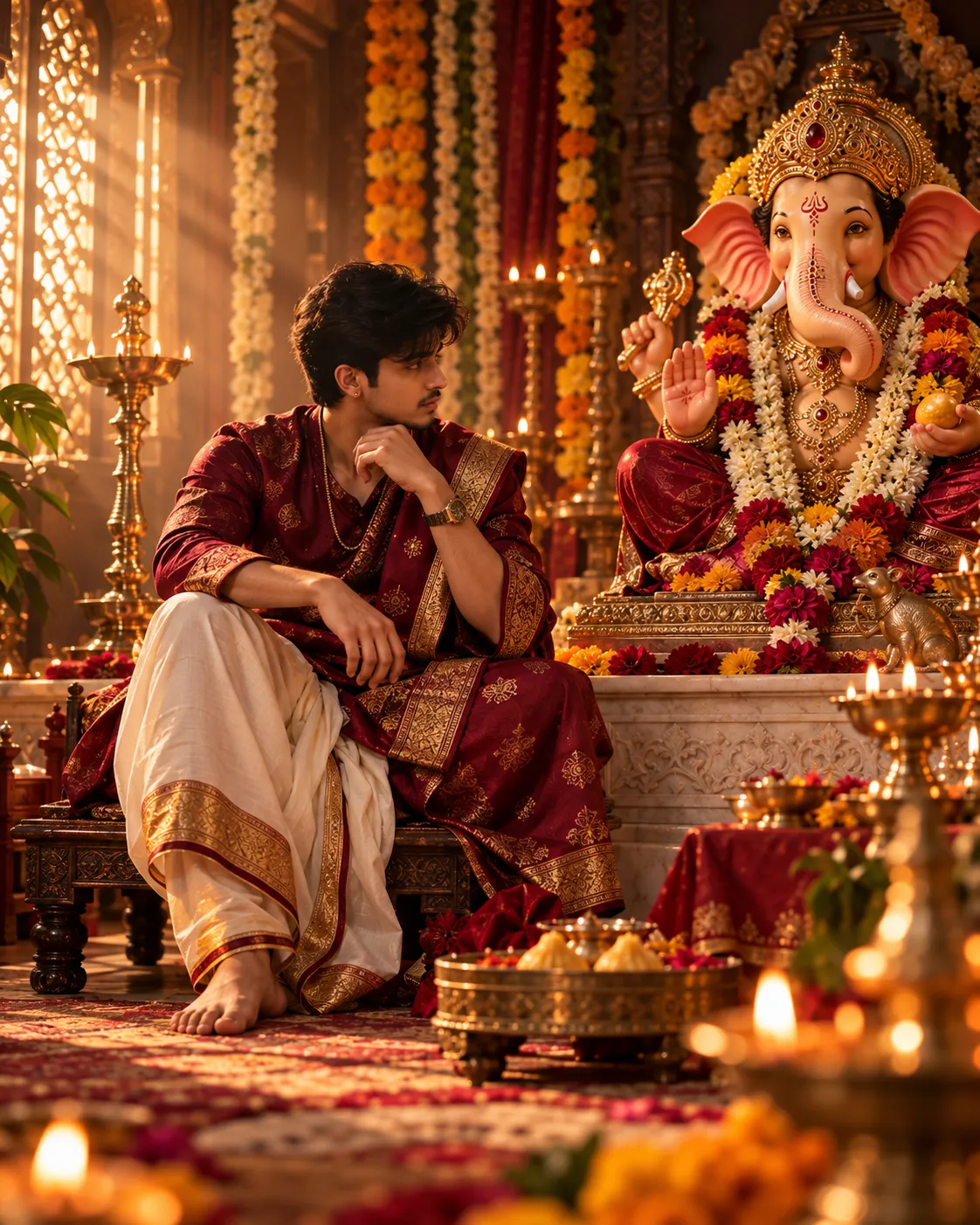
Transform this photo into a regal, traditional darbar-style portrait of the subject seated on a low carved wooden asan beside a beautifully hand-sculpted Ganpati idol placed on a raised marble platform. Dress the subject in rich traditional Maharashtrian attire — a nauvari saree in maroon and gold zari work, or a bandhgala/dhoti-kurta in deep maroon with gold brocade detailing — paired with traditional gold jewelry such as a nath, bajuband, or simple gold chain. Light the scene with warm, directional golden-hour sunlight streaming in from camera-left through a jharokha-style window, casting soft cinematic shadows across the face and gentle highlights on jewelry and fabric texture. Fill the background with layered marigold and jasmine garlands, a few brass diyas glowing softly at varying depths, and a hint of ornate wall carving softly out of focus. Shoot as if on an 85mm portrait lens at f/1.8 for a creamy background blur, with a warm color grade rich in deep ambers, muted golds, and soft maroons. Render in ultra-realistic detail — natural skin texture, visible fabric weave, catchlights in the eyes — vertical 4:5 aspect ratio, 4K quality, no text or watermark.2. Modak Offering Close-Up
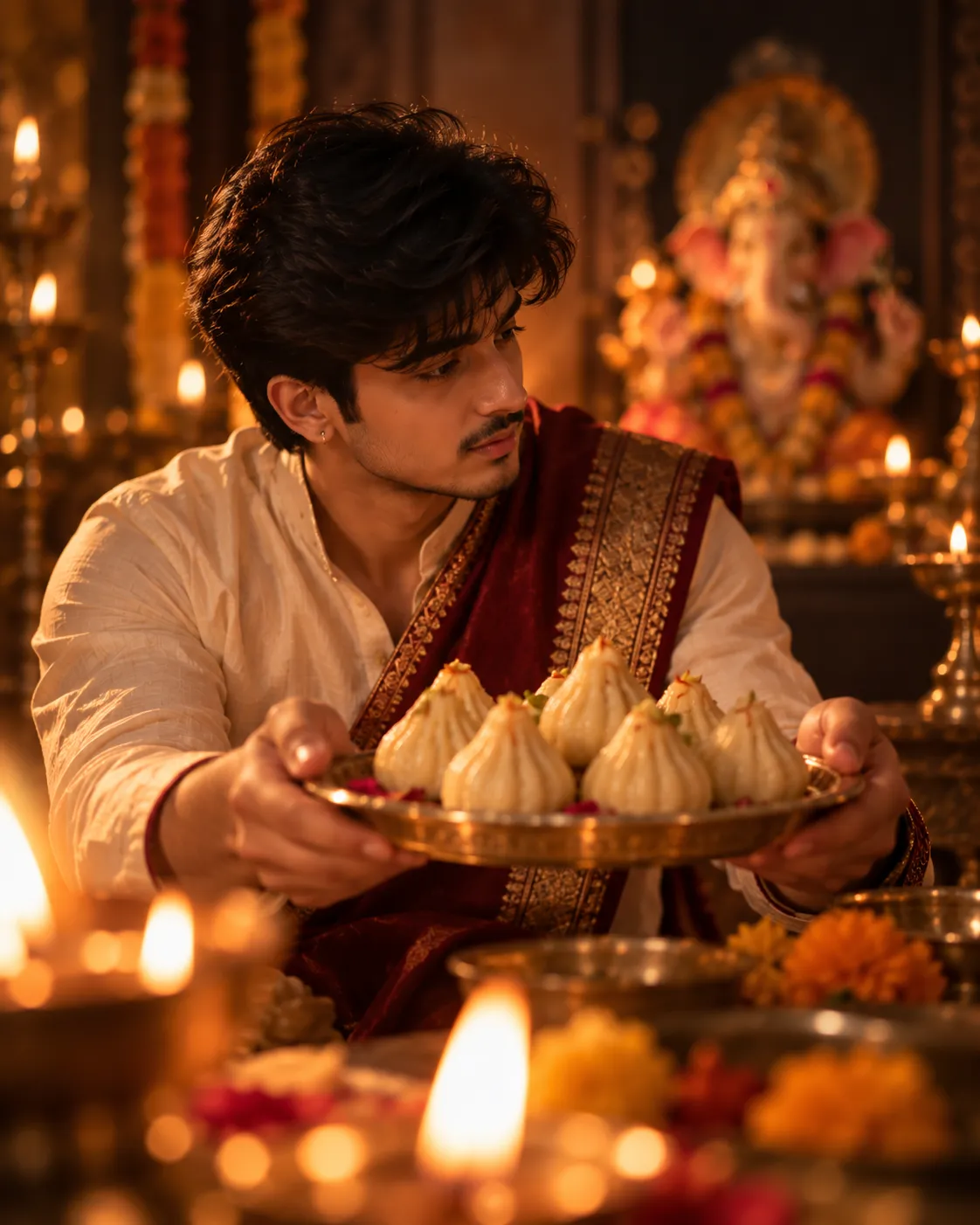
Create an intimate close-up portrait of the subject holding a traditional silver or brass plate stacked with fresh modaks, arms extended slightly toward the camera in an offering gesture. Dress in simple festive attire — a cotton saree or kurta in soft yellow, cream, or maroon. Light the scene with warm, flickering diya light positioned just outside the frame to the lower-left, casting a soft golden glow across the face, hands, and modaks while letting the background fall into warm, deep shadow. Blur the background into a soft bokeh suggesting a dimly lit puja room, with faint hints of marigold flowers and brass lamps. Shoot as if on a 50mm lens at f/1.8 for shallow depth of field, with natural skin texture showing visible pores and soft highlights. Use a warm festive color grade leaning into ambers and warm yellows, vertical 4:5 crop, ultra-realistic rendering, no text overlay or watermark.3. Golden Hour Pandal Visit
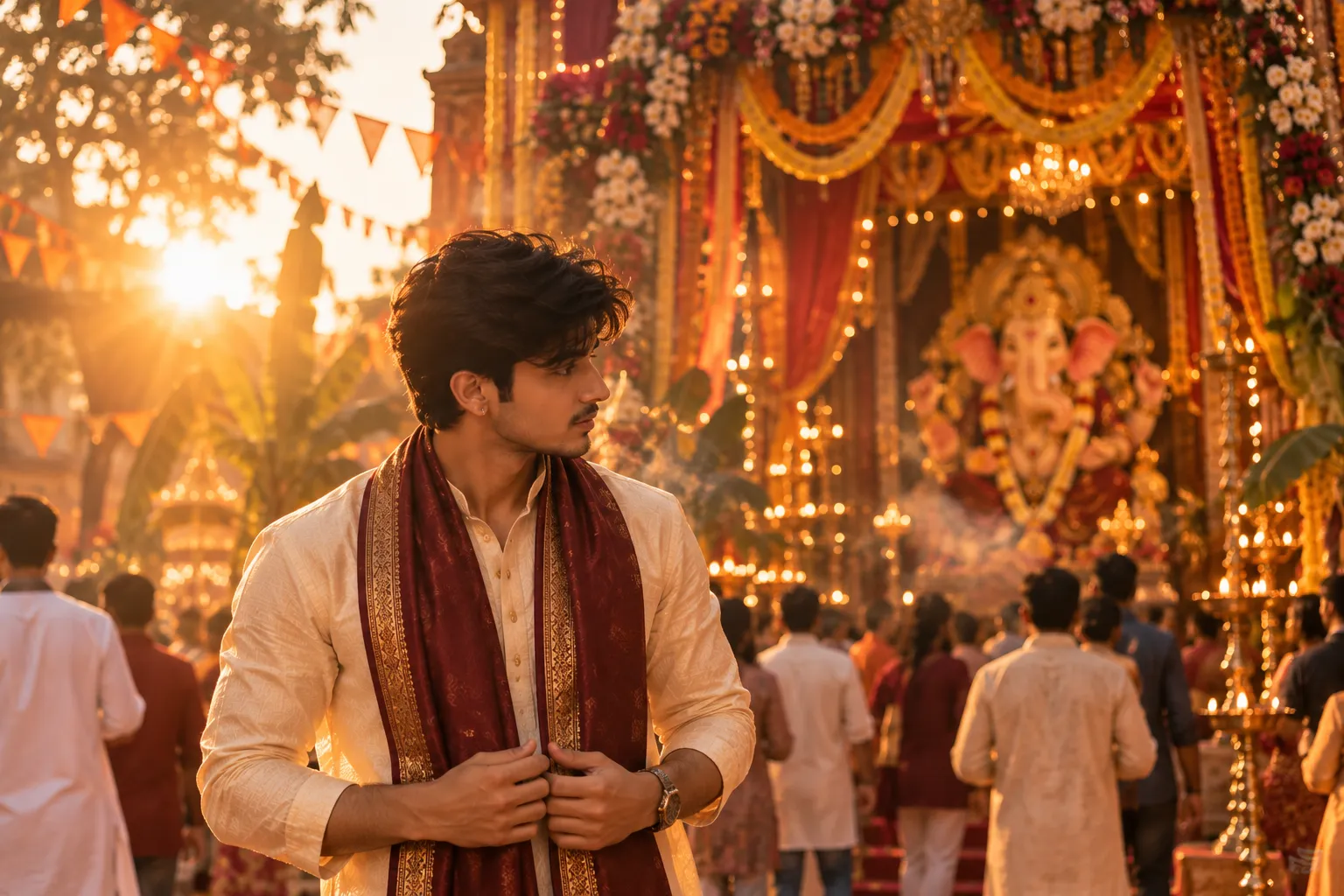
Edit this into a candid, golden-hour outdoor portrait of the subject standing in front of a large, brightly decorated Ganpati pandal entrance adorned with fabric drapes, floral arches, and strings of fairy lights. Position the subject slightly off-center using rule-of-thirds framing, with warm late-afternoon sunlight coming from behind and to the side, creating a soft golden rim light around the hair and shoulders plus a subtle lens flare in the upper frame. Let the pandal's string lights and colorful bunting blur softly into a warm bokeh behind the subject, and add a light haze of dust or incense smoke drifting through the light rays for atmosphere. Use a cinematic, warm amber-and-orange color grade reminiscent of festival photography, a natural candid expression, and shoot as if on a 35mm lens at f/2. Both horizontal and vertical framing work well here. Render in ultra-realistic detail with no visible text or logos.4. Devotional Silhouette
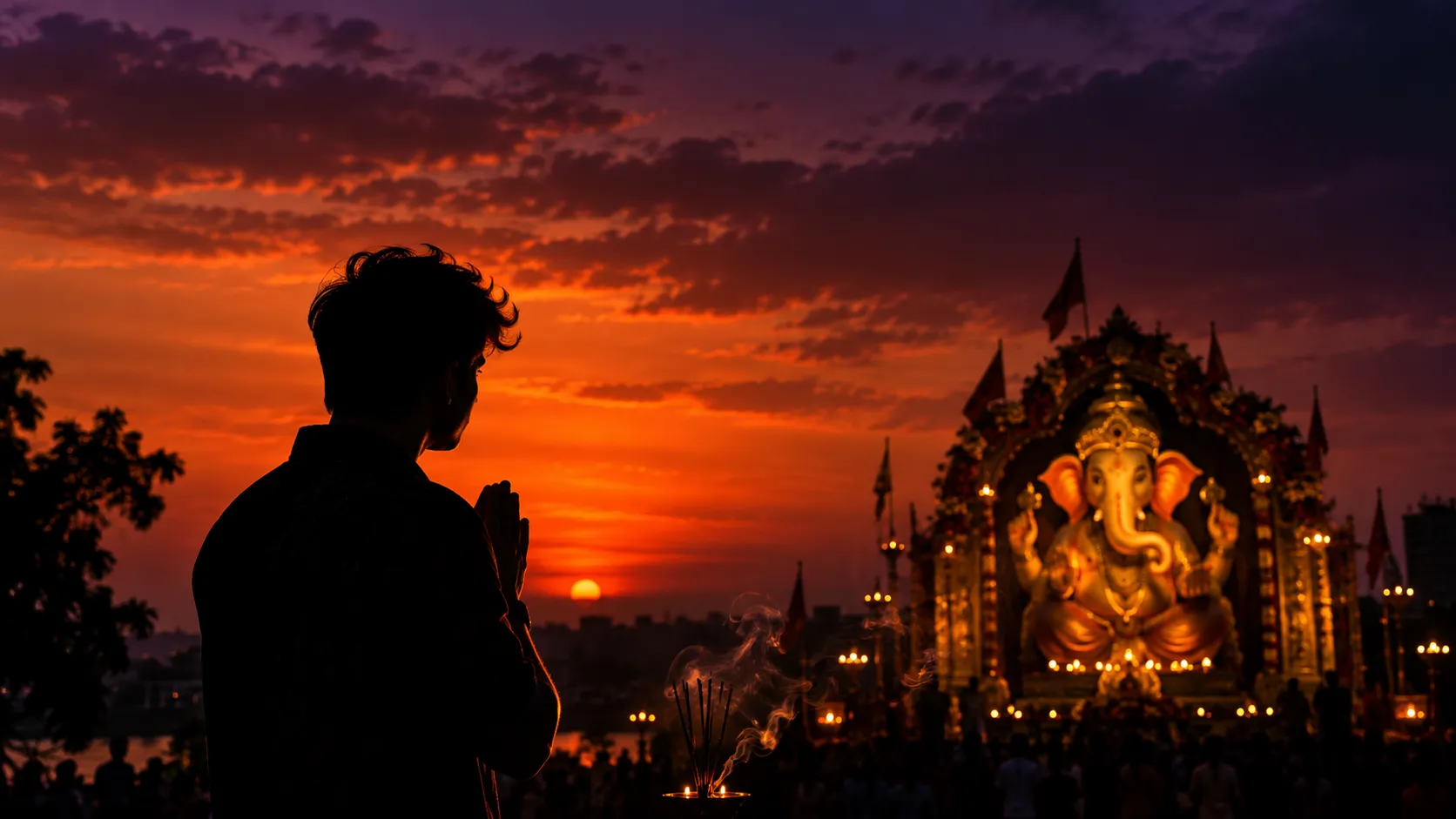
Turn this into a striking silhouette portrait of the subject standing in profile or three-quarter view, facing a large, glowing Ganpati idol positioned in the middle distance at dusk. Render the sky behind them as a deep, dramatic gradient moving from burnt orange near the horizon to deep purple and indigo higher up, with a few soft clouds catching the last light. Let the idol's warm inner glow create a subtle rim light along the edges of the subject's silhouette — hair, shoulder, and profile line lit just enough to read clearly against the dark shape. Add fine wisps of incense smoke curling upward between the subject and the idol. Compose with strong negative space and wide-angle framing, keeping the mood minimalist and moody, with high contrast between the warm sky and near-black silhouette. Use a cinematic aspect ratio (16:9 or 2:1), with no visible text or watermark.5. Modern Minimalist Ganpati Portrait
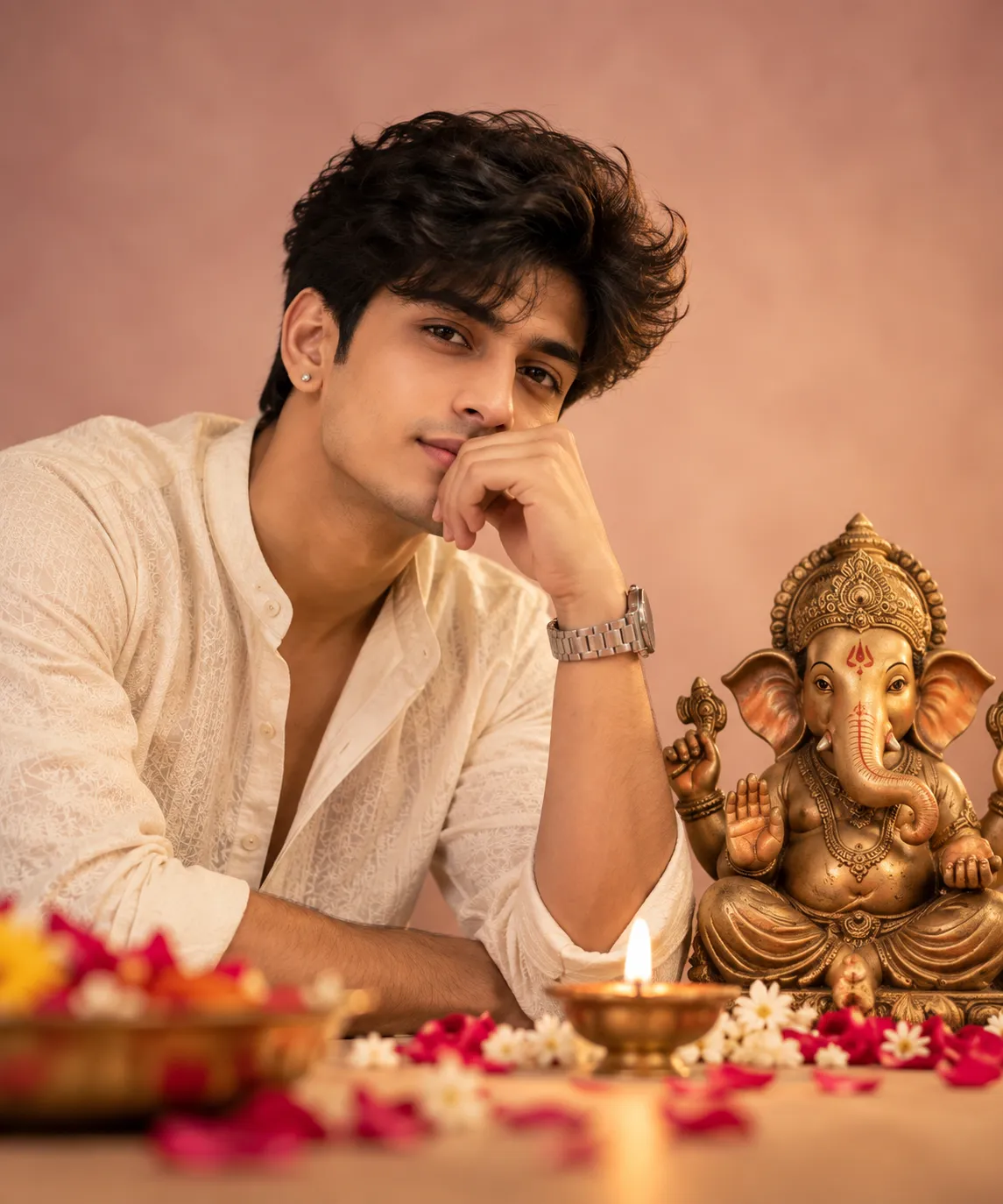
Create a clean, modern, editorial-style studio portrait of the subject with a small, elegantly sculpted brass or terracotta Ganpati idol placed just beside them on a plain, softly lit pastel backdrop — dusty pink, warm beige, or sage green. Style the subject in simple, contemporary festive wear with minimal jewelry. Light the scene with soft, diffused frontal studio lighting plus a subtle fill from the side to avoid harsh shadows, keeping skin tones even and natural. Add only one or two small props — a single lit diya and a scattering of fresh flower petals — kept slightly out of focus in the foreground. Use a calm, neutral-warm color palette, sharp focus on the eyes and face, and a soft falloff toward the edges of the frame, evoking a high-end editorial photography aesthetic. Use a square or 4:5 crop, 4K resolution, with no visible text or watermark.6. Rangoli Frame Shot
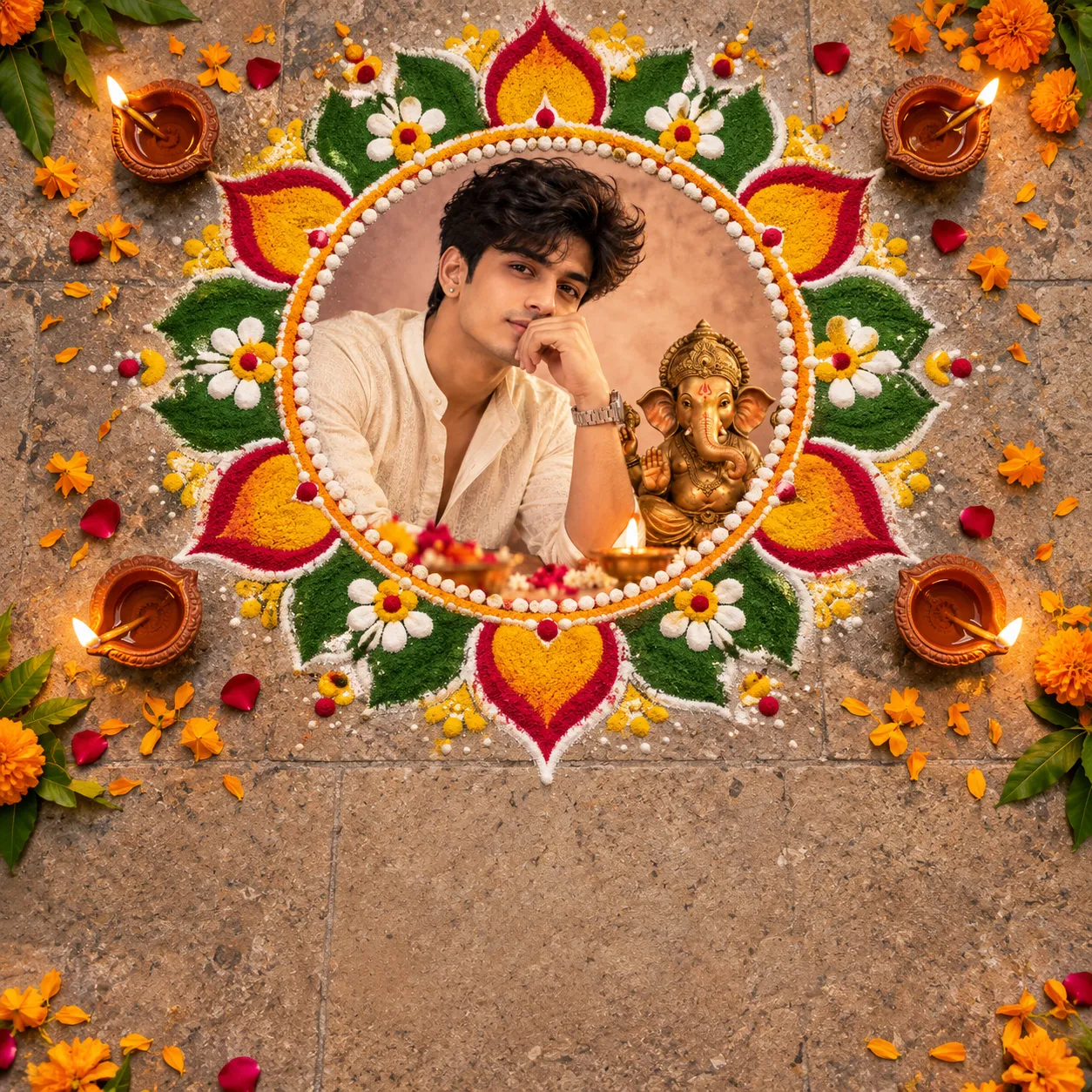
Place this photo inside a beautifully hand-drawn, circular rangoli-style frame made from vibrant colored powders — deep reds, mustard yellows, leaf greens, and pure whites arranged in a traditional lotus and floral motif. Position the subject's photo centered within the rangoli circle as if laid flat on a stone courtyard floor, shot from a slight top-down angle. Add four small, glowing terracotta diyas placed symmetrically just outside the rangoli's edges, and scatter a few loose marigold petals around the border. Leave clean, uncluttered negative space in the bottom third of the frame for adding festival greeting text later. Use bright, highly saturated colors with a flat, even top-light and minimal shadow, aiming for a festive graphic-design aesthetic suitable for an Instagram carousel or greeting card. Use a square 1:1 aspect ratio, with no text baked into the image.7. Family Aarti Moment
Recreate this as a warm, candid documentary-style family portrait capturing everyone gathered together performing aarti around a decorated Ganpati idol. Have each family member holding a small diya or the aarti thali, with genuine, unposed expressions — a mix of focused devotion and warm smiles. Light the entire scene primarily from the diya flames below, casting warm upward light on faces and creating soft, natural shadows, supplemented by dim ambient household light in the background. Blur the background softly to suggest a festively decorated home altar with flowers, string lights, and a rangoli on the floor. Use a warm, slightly desaturated documentary color grade with natural skin tones, and a medium depth of field so the whole family stays in reasonably sharp focus. Use horizontal framing, ultra-realistic rendering, and no text overlay.8. Peshwai Royal Edit
Transform this into a grand, painterly Peshwai-era royal portrait. Dress the subject in richly embroidered, ornate royal attire — a heavily worked nauvari saree with a zari border and matching choli, or a brocade dhoti-kurta with a Maratha-style pagdi and angavastram — paired with elaborate traditional gold jewelry such as a chandrahar, nath, kamarband, or bajuband. Position them standing or seated confidently in front of a majestic stone palace courtyard with carved arches, ornate pillars, and soft afternoon light filtering through in warm shafts. Use a rich, warm palette dominated by maroon, gold, ivory, and deep green, with painterly, slightly soft-focus cinematic lighting reminiscent of classical Indian court portraiture. Render fabric textures, embroidery, and jewelry in ultra-fine detail, with a regal and dignified posture. Use a vertical 4:5 or 2:3 aspect ratio, with no visible text or watermark.9. Eco-Friendly Ganpati Theme
Edit this photo to feature a beautifully hand-sculpted clay, eco-friendly Ganpati idol placed naturally on a stone ledge or wooden platform beside the subject, set in a lush, green outdoor location such as a garden, riverside, or beneath a large shaded tree. Style the subject in simple, earthy-toned festive clothing that complements the natural setting. Light the scene with soft, natural daylight, ideally early morning with a light mist or haze softening the background greenery. Include small, unfired clay diyas plus a few fresh flowers and leaves as offerings near the idol, avoiding any plastic or synthetic decoration. Use an organic, warm-green and earthy-brown color grade, soft natural bokeh in the background, and a documentary-style candid approach with shallow depth of field. Render ultra-realistic textures on both skin and clay, in either horizontal or vertical framing, with no text overlay.10. Instagram Reel Cover
Create a bold, high-contrast vertical portrait specifically composed as a scroll-stopping Instagram Reel cover. Have the subject look slightly off-camera with a confident, festive expression, positioned in the lower two-thirds of the frame using strong rule-of-thirds composition. Fill the background with a softly blurred bokeh of colorful festival string lights and the warm silhouette of a Ganpati idol glowing behind. Use punchy, saturated colors — deep reds, warm oranges, and golden highlights — combined with strong, directional side lighting and a subtle vignette darkening the corners for focus. Leave clean, uncluttered negative space in the upper third of the frame for a text overlay to be added later. Style the overall look like a trending, high-engagement social media cover photo, with sharp focus on the eyes. Use a 9:16 vertical aspect ratio, ultra-realistic rendering, and no baked-in text.Feel free to mix elements from two prompts — swap the lighting from #3 into the outfit style of #8, for example.
How to Turn These Prompts Into Photos
You don’t need Photoshop or a design degree. Here’s the simple workflow:
- Pick a clear base photo. Good lighting and a front-facing pose give the AI the most to work with.
- Choose your prompt from the list above, or write your own using the tips in the section above.
- Sharpen the prompt first. Paste it into our free Prompt Improver AI — it rewrites vague instructions into detailed, AI-ready prompts automatically.
- Generate the image. Upload your photo and the refined prompt into our free Text to Image Generator, ChatGPT, or another AI image tool from our AI Tools Hub.
- Clean up the background if needed using our free Background Remover before adding any festive backdrop.
- Export and post — most tools deliver a high-resolution image within seconds.
For a deeper look at which AI generators perform best for realistic portraits, our Top AI Image Generators guide compares the leading options side by side.
Tips for Realistic and Respectful Ganpati AI Photos
- Keep facial features true to the original photo — over-editing can make results look uncanny.
- Use devotional imagery respectfully. Avoid prompts that alter or caricature the idol itself; keep Ganpati as a background or offering element rather than distorting the deity’s form.
- Test 2–3 variations of the same prompt — small wording changes (like “soft lighting” vs. “dramatic lighting”) can shift the entire mood.
- Match the outfit to the setting — a Peshwai look pairs better with a palace backdrop than a modern minimalist one.
Creators experimenting more broadly with AI visuals may also find our Best AI Tools for Content Creators guide useful for building a full festive content calendar, not just a single photo.
Frequently Asked Questions
What is the best AI tool for Ganesh Chaturthi photo prompts?
Free, beginner-friendly tools like RTM Creator’s Text to Image Generator or ChatGPT’s image feature work well for most festive prompts. For more artistic, cinematic results, dedicated image generators tend to offer finer style control — our AI image generator comparison covers the trade-offs.
Are AI-generated Ganpati photos considered disrespectful?
Not inherently — most creators use AI to add festive elements like lighting, garlands, or backdrops around themselves, not to alter the deity’s image. Keeping the idol as a respectful background element, rather than distorting it, is the generally accepted approach.
Can I use these prompts with just my phone?
Yes. Most AI photo tools, including free web-based generators, work directly from a browser on mobile — no app installation or editing software required.
What’s the difference between an AI photo prompt and normal photo editing?
Traditional editing adjusts an existing image manually (filters, cropping, retouching). An AI photo prompt describes a scene in words, and the AI generates or transforms the image to match — often adding entirely new elements like lighting, props, or backdrops.
How can I make my AI Ganpati photo look less “AI-generated”?
Use specific lighting and framing instructions, avoid overly dramatic prompts, and always start from a clear, well-lit base photo. Running your prompt through a prompt-refining tool before generating also reduces the flat, artificial look common in quick AI edits.
Conclusion
A good ganesh chaturthi ai photo prompt is really just a well-written scene description — specific lighting, a clear festive element, and a defined style. With the ten prompts above, you have a starting point for everything from a traditional Peshwai portrait to a reel-ready cover shot.
The fastest way to see results is to refine your prompt first, then generate with a tool built for it. Free options make this genuinely accessible, no design background needed.